Debugging random HDD spin-ups in Unraid
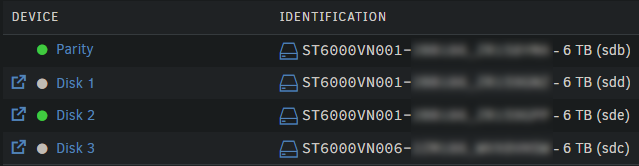
Everyone wants lower idle power consumption. Spinning down disks that are not frequently used is a great way to do that. However I recently had an interesting issue with Immich randomly waking up both Disk 2 and the Parity disk.
The photo library was in it's separate partition, the database was on a 100% cache share. Supposedly no files from the HDDs were accessed and yet - the drives were spinning up - almost every hour.
So I had to investigate!
Debugging the issue
I installed the File Activity plugin, but that didn't capture any files being accessed, which was weird.
That's when I learned about fatrace. It's a tool that monitors all file activity across the system and by that I really mean ALL file activity. When I tried saving the raw output of the command to a file, it grew to 100MB in only 15-20 seconds!
Since Unraid 7, the plugins that included fatrace are not compatible, that's why I had to install it manually. I'm posting the install process for my future self, since installing packages on Unraid is not that straightforward.
# Change to a working directory
cd /tmp

# Get the package
wget https://slackware.halpanet.org/slackdce/packages/15.0/x86_64/system/fatrace/fatrace-0.19.1-x86_64-1_slackdce.txz

# Install the package
upgradepkg --install-new fatrace-0.19.1-x86_64-1_slackdce.txz
After installing the package, I ran fatrace -t to monitor all activity. The -t flag simply adds the timestamp to the log. However as I already mentioned, I had to filter out the log, otherwise the console was overwhelmed and I wasn't able to read anything.
To ensure proper filtering, I merged all errors with the regular log output (merging stderr and stdout in a single output). For that I used 2>&1 after the fatrace command.
After that I was finally able to use grep and filter the logs properly.
# Monitor a single folder
fatrace -t 2>&1 | grep "/mnt/disk2/folder"

# Provide multiple grep arguments to monitor multiple folders
fatrace -t 2>&1 | grep -e "/mnt/disk2/folder1" -e "/mnt/cache/folder1

The solution (in my case)
With that output of the command I was able to see that for some reason my Immich database was split between disk2 and cache.

So within the same database check, the server accessed not only the cache disk, but disk2 as well, which naturally spins it up.
The fix was simple. I used the "unbalanced" plugin and moved all files from the disk2 drive to the cache drive. It's a great plugin for re-balancing data, both for gathering it in one place and spreading it equally among disks.
After moving those files, all of the database was whole in one place - in the cache - and my drives stopped waking up randomly!